Enjoy 10% OFF your next purchase with "SAVE10"
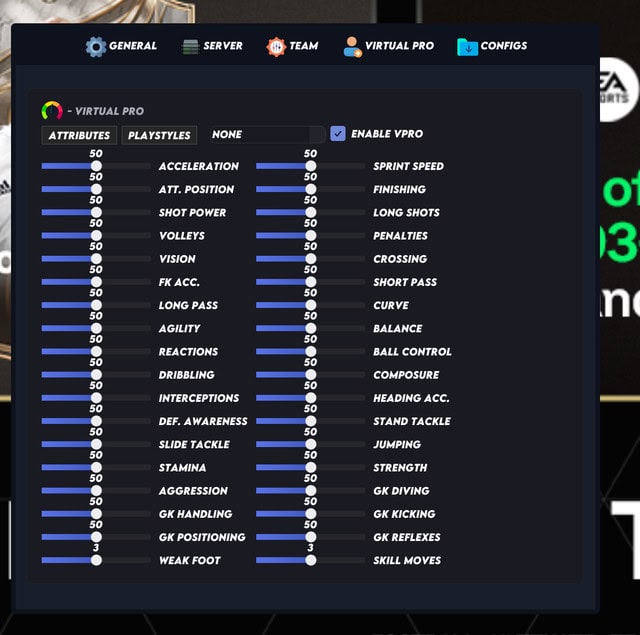
FUT Champs and Rivals in EA SPORTS FC 26 are more competitive than ever. Rewards keep getting better, the schedule is tight, and most players do not have a full weekend to grind every match by hand. That is where tools like Auto-Win and Restart Match become attractive: they save time, reduce stress, and keep you in the reward track without burning out.
At the same time, these are some of the most sensitive features inside any cheat suite. If you spam them carelessly, your match history and performance can look suspicious. This guide explains how Auto-Win and Restart Match work conceptually, how to use them in a safer way, and how they fit into a long-term strategy for Weekend League and Division Rivals.
FUT Champs in FC 26 keeps the familiar format: limited-time qualifiers, a fixed number of matches, and tiered rewards based on your final record. Many players grind to reach a specific rank for packs, coins, and special items. When your free time is limited, every loss feels expensive.
Auto-Win is designed to handle some of that pressure. Instead of playing every single match, you trigger wins instantly in selected games and let normal gameplay handle the rest. Used correctly, this creates a balanced record that still looks realistic over the weekend.
Safer patterns usually look like this:
Think of Auto-Win as a tool to smooth out your path, not as a button you hold down from Friday to Sunday.
Restart Match is your second safety net. Instead of accepting a bad start or early disconnect, you reset the game to 0–0 and give yourself another chance. This is especially useful if you concede a quick goal, your controller misinputs, or your connection spikes in the opening minutes.
To keep this feature believable:
When you treat Restart Match as a backup for genuinely bad starts, your Weekend League record will climb without screaming that something unnatural is happening behind the scenes.
Division Spoofer changes who you face on the ladder while still giving you full rewards. In theory this is perfect for Rivals grinding, but it must be balanced carefully. If you combine very low spoofed divisions with constant Auto-Win, your account can rack up huge win streaks against obviously weaker lobbies.
A more conservative setup is:
This kind of configuration still gives you easier games and faster rewards while keeping your record within believable limits.
On PC, FC 26 uses EA’s Javelin anti-cheat system, a kernel-level security layer that monitors game files, memory, and suspicious behavior. EA’s own help articles clearly explain that uninstalling or tampering with it can prevent games from launching and may lead to restrictions on your account.
No Auto-Win, Restart Match, or cheat feature is truly “risk-free” under that kind of system. What can help is playing in a way that does not instantly stand out: normal movement, reasonable stats, and match histories that look similar to players who simply got better at the game.
Always remember that any use of cheats goes against the terms of service. If you decide to use tools anyway, you do so at your own risk and should never put more money into an account than you are prepared to lose.
Here are a few realistic play patterns players often follow:
These patterns spread out risk and keep your performance curve more organic over months of play.
Auto-Win and Restart Match are powerful tools in EA SPORTS FC 26. Used aggressively, they can flip FUT Champs and Rivals into near-automatic reward farms. Used thoughtfully, they shorten the grind while keeping your account history closer to what a highly skilled but human player might achieve.
If you want these features along with Division Spoofer, ball control tools, and protection against rage mechanics, you can find them inside our main EA FC 26 hacks page and the dedicated Meta and Internal products. Take your time, configure everything carefully, and always remember that long-term safety matters more than one perfect Weekend League.
Share it on:
