Enjoy 10% OFF your next purchase with "SAVE10"

HOW TO USE EA FC 26 FUTX

To properly run the hack, follow the instructions and steps.
1
1. Download and Run the Loader

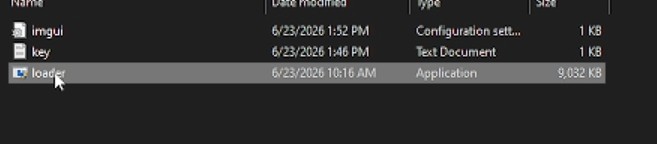
Download & Extract: Download futx.zip from the MEGA link to your Desktop/Download folder, right-click it, and extract the files.

Run as Admin: Open the futx folder, right-click loader.exe, and select Run as administrator.
2
2. Authenticate, Login, and Setup

Activate Key: Click LAUNCH, paste your license key into the field, and hit CONTINUE.

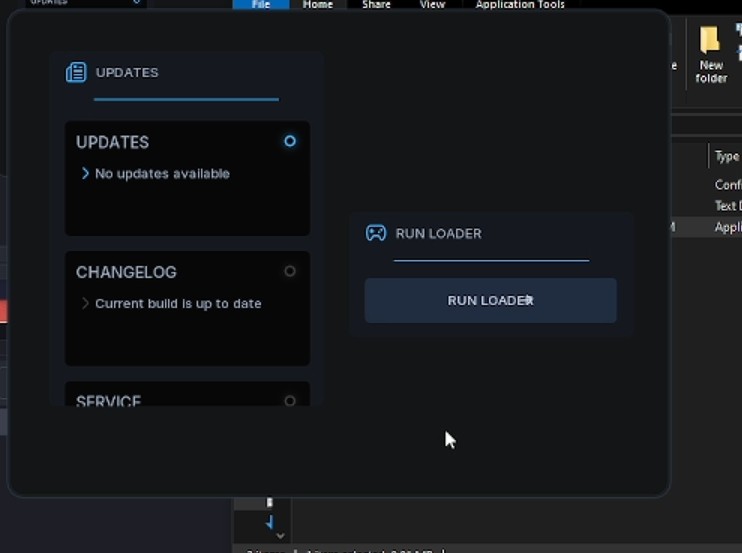
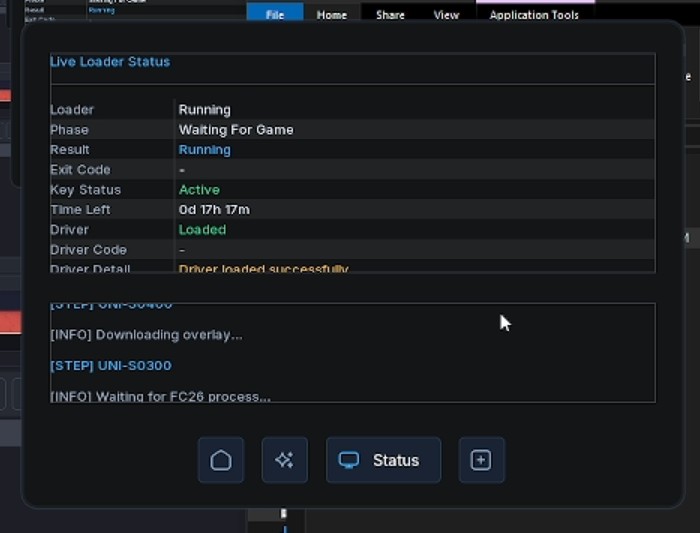
Start Loader: Click the blue RUN LOADER button. The interface will switch to the Live Loader Status screen and automatically download the necessary drivers and configurations.

Loader Status: Wait until the log at the bottom displays:
[INFO] Waiting for FC26 process...
3
3. Open the Game and Injection

Launch the Game: Start the game through your launcher (e.g., Steam, EA App) while keeping the loader running in the background.

Menu Overlay: The tool will automatically inject. Once the game opens, use the on-screen overlay menu to toggle your preferred features.

Show/Hide Menu: Press the Insert key on your keyboard to toggle the menu visibility.

TIPS
Finish Match โ€“ Tips

- Best used when you're already winning (for example, 1โ€“0).
- Activating it will instantly end the match and award you the win.
- Works in all game modes.
- Much safer than disconnecting.
- If you're ahead and don't want to play until the 20th minute, you can use Finish Match to secure the win early.
- Can also work when the score is tied.
- Usage may be limited to around 5 times per day.

Instant Win

- Another safe alternative to disconnecting.
- Simply activate it and the match will instantly end with a 3โ€“3 result.
- You will still be awarded the win regardless of the current score.