🎄Christmas Sale Is Live Use "XMAS15" for 15% OFF Storewide! ✨

HOW TO USE Ashes Of Creation Kahmi

To properly run the hack, follow the instructions and steps.
!
Use Fullscreen Windowed or Borderless Mode
Switch your game to Fullscreen Windowed or Borderless before loading the menu.

Disable Anti-Lag or Upscaling Features
In both your game settings and GPU control panel, disable any Anti-Lag or Upscaling features for better performance.

Turn off Game Mode
Press the Windows Key and search for Game Mode. Toggle the switch Off (see image below).

Set time zone to +8 Beijing Time.
Translator + Broken Language Fix for Menus
Learn More
1
Unzip the Menu .Rar file and place the new unzipped folder on the Desktop. You can make a new folder on the desktop and drag all files from the .Rar into that folder you just made also.
2
Open the game first and load to main menu
3
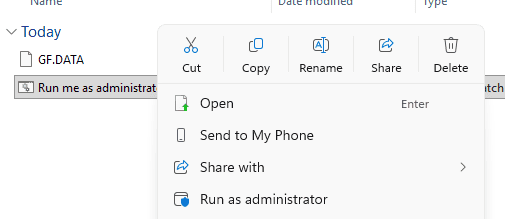
Run the bat file as administrator after game is open.
4
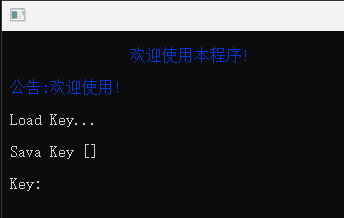
You will see a login menu first. Login using your key you got when purchased and wait for the Debug menu to show.
5
Menu will now show in game/ KEY to show menu : Insert or HOME